|
|
Did you know...
This is a collection of all of the feature lists for each released relax version.
Version 4 of relax
relax 4.0 series
- Per-atom RMSD calculation by the structure.rmsd user function.
- Much faster superimposition of structures.
- More relax deployment scripts for Google Cloud for different GNU/Linux distributions.
- Addition of OpenMPI testing scripts.
- Improved relax information printout.
- Many improvements for the compilation of the HTML version of the relax manual.
- Updated relax to eliminate all FutureWarnings from numpy ≥ 1.9, to future-proof relax against upcoming numpy behaviour changes.
- Ability to handle replicated R2,eff data points by the relax_disp.r2eff_read user function, but adding 0.001 to the frequency value for the replicated point.
- A new sample script for loading a model-free results file and back-calculating relaxation data.
- Improvements for the handling of PDB structural data.
- Implementation of the structure.pca user function for performing principle component analyses (PCA) of an ensemble of structures.
- Addition of a script for rapid deployment on the Google Cloud Computing infrastructure.
- The final, complete, and correct implementation of the frame order theory for studying rigid body motions. This is currently for analysing RDC and PCS data from internally aligned systems.
Version 3 of relax
relax 3.3 series
- Improvements to the automatic relaxation dispersion protocol for repeated CPMG data.
- Support for Monte Carlo or Bootstrap simulating the RDC and PCS Q factors.
- Huge speedup of Monte Carlo simulations in the N-state model analysis.
- Geometric mean and standard deviation functions added to the relax library.
N/A
- Creation of the statistics.aic and statistics.model user functions for calculating and printing out different statistics.
- Addition of new infrastructure for future support for plotting data using Veusz.
- Huge speed up for the assembly of atomic coordinates from a large number of structures.
- Sequence data in the internal structural object can now be sorted for better structural consistency.
- The structure.read_pdb user function now skips water molecules, avoiding the creation of hundreds of new molecules when reading X-ray structures.
- Conversion of the structure.mean user function to the new pipes/models/molecules/atom_id design and the addition of the set_mol_name and set_model_num arguments to allow the mean structure to be stored alongside the other molecules.
- The monte_carlo.setup user function now raises a RelaxError if the number of simulations is less than 3, avoiding subsequent errors.
- Expanded the functionality of the rdc.copy and pcs.copy user functions, allowing for the operation on two data pipes with different spin sequences, skipping deselected spins and interatomic data containers, printing out all copied data for better feedback, and copying all alignment metadata.
- The sequence.attach_protons user function now lists all the newly created spins.
- Clarification of the RDC and PCS Q factors with the printouts and XML file variable names modified to indicate if the normalisation is via the tensor size (2Da2(4 + 3R)/5) or via the sum of data squared to allow for clearer RDC vs. PCS comparisons.
- Expansion of the align_tensor.copy user function to allow all tensors to be copied between different data pipes.
- Huge speed up for loading results and state files with Monte Carlo simulation alignment tensors.
- Improvements for the rdc.weight and pcs.weight user functions. The spin_id argument can now be set to None to allow all spins or interatomic data containers to be set.
- Improvements for the pcs.structural_noise user function. The check for the presence of PCS data for points to skip now includes checking for PCS values of None. And the output Grace file now also includes the spin ID string as a string or comment value which can be displayed in the plot when desired.
- The Needleman-Wunsch sequence alignment algorithm now calculates an alignment score.
- Implementation of the central star multiple sequence alignment (MSA) algorithm.
- Implementation of a reside number based multiple sequence alignment (MSA) algorithm.
- Large speed up of the molecule, residue, and spin selection object, affecting all parts of relax.
- Sequence alignments are now saved in the relax data store.
- Important formatting improvement for the description in the GUI user function windows, removing excess empty lines after lists.
- Creation of the structure.sequence_alignment user function. The MSA algorithm can be set to either 'Central Star' or 'residue number', the pairwise sequence alignment algorithm to 'NW70' for the Needleman-Wunsch algorithm, and the substitution matrix to one of 'BLOSUM62', 'PAM250', or 'NUC 4.4'.
- More advanced support for different numpy number types in the lib.xml relax library module. This allows numpy int16, int32, float32, and float64 objects to be saved in the relax data store and retrieved from relax XML save and results files.
- Merger of structure.align into the structure.superimpose user function.
- The assembly of common atomic coordinates by the structure user functions now takes sequence alignments into account. The logic is to first use a sequence alignment from the relax data store if present, use no sequence alignment if coordinates only come from structural models, or fall back to a residue number based alignment. This affects the structure.align, structure.atomic_fluctuations, structure.com, structure.displacement, structure.find_pivot, structure.mean, structure.rmsd, structure.superimpose and structure.web_of_motion user functions.
- Large improvements in the memory management for all parts of the GUI.
- Improvements to the NMR spectral noise error analysis.
- Addition of the new spectrum.error_analysis_per_field user function to quickly perform a per-NMR field spectrum error analysis.
- Added spectrum.sn_ratio user function to calculate the signal to noise ration for all spins, and introduced the per-spin sn_ratio parameter for the NOE, relaxation curve-fitting and relaxation dispersion analyses.
- Added the new select.sn_ratio and deselect.sn_ratio user functions to change the selection status of spins according to their signal to noise ratio.
- Expansion of the grace.write user function to handle both first and last point normalisation for reasonable R1 curves in saturation recovery experiments.
- Conversion of the structure.align, structure.displacement, structure.find_pivot, structure.rmsd, structure.superimpose and structure.web_of_motion user functions to a standardised pipes/models/molecules/atom_id argument design to allow the user functions to operate on different data pipes, different structural models and different molecules simultaneously and to restrict operation to a subset of all spins. This is also used by the new structure.atomic_fluctuations user function.
- Addition of the displace_id argument to the structure.align and structure.superimpose user functions to allow finer control over which atoms are translated and rotated by the algorithm independently of the align_id atom ID for selecting atoms used in the superimposition.
- Large improvement for the PDB molecule identification code affecting the structure.read_pdb user function allowing discontinuous ATOM and HETATM records with the same chain ID to be loaded as the same molecule.
- Creation of the lib.plotting package for assembling all of the data plotting capabilities of relax into a unified software independent API.
- Implementation of the new structure.atomic_fluctuations user function for creating text output or Gnuplot graphs of the correlation matrix of interatomic distance, angle or parallax shift fluctuations, measured as sample standard deviations, between different molecules.
- The implementation of ordinary least squares fitting.
- Improvements for the pcs.corr_plot and rdc.corr_plot user functions.
- The implementation of Needleman-Wunsch pairwise sequence alignment algorithm using the BLOSUM62, PAM250 and NUC 4.4 substitution matrices for more advanced 3D structural alignments via the structure.align user function. The Needleman-Wunsch algorithm is implemented as in the EMBOSS software to allow for gap opening and extension penalties as well as end penalties. This is also used in all the other structure user functions dealing with multiple molecules - structure.atomic_fluctuations, structure.displacement, structure.find_pivot, structure.rmsd, structure.superimpose, structure.web_of_motion.
- Improved support for PDB secondary structure metadata for the structure.read_pdb and structure.write_pdb user functions.
- Numerous improvements for the relax_fit.select_model user function.
- Support for the saturation recovery experiment in the relaxation exponential curve-fitting analysis.
- Support for the inversion recovery experiment in the relaxation exponential curve-fitting analysis.
- Added a section to the start of the relaxation curve-fitting chapter of the manual to include descriptions of all supported models.
- Addition of a button to the R1 and R2 GUI analyses for selecting the desired exponential curve model via the relax_fit.select_model user function.
- Implemented the lib.geometry.vectors.vector_angle_atan2() relax library function. This is for calculating the inter-vector angle using the more numerically stable atan2() formula.
- Implemented the lib.geometry.vectors.vector_angle_acos() relax library function. This is used to calculate the inter-vector angle using the arccos of the dot product formula. The function has been introduced into the relax library as the calculation is repeated throughout relax.
- Expanded the basis sets for the align_tensor.matrix_angles user function to allow the correct inter-tensor angles to be calculated. This includes the standard inter-matrix angles via the arccos of the Euclidean inner product of the alignment matrices in rank-2, 3D form divided by the Frobenius norm of the matrices, irreducible spherical tensor 5D basis set {A-2, A-1, A0, A1, A2}, and the unitary 9D basis set {Sxx, Sxy, Sxz, Syx, Syy, Syz, Szx, Szy, Szz} (all of which produce the same result).
- Expanded the basis sets for the align_tensor.svd user function to allow the correct singular values and condition number to be calculated. This includes the irreducible spherical tensor 5D basis set {A-2, A-1, A0, A1, A2} and the unitary 9D basis set {Sxx, Sxy, Sxz, Syx, Syy, Syz, Szx, Szy, Szz} (both of which produce the same result).
- Added the angle_units and precision arguments to the align_tensor.matrix_angles user function to allow either degrees or radians to be output and the number of decimal points to be specified.
- Added the precision argument to the align_tensor.svd user function to allow the number of decimal points for the singular values and condition number to be specified.
- Updated the align_tensor.display user function to output the irreducible spherical harmonic weights. This is the alignment tensor in the {A-2, A-1, A0, A1, A2} notation.
=== relax 3.3.2 ..→
|
|
|
Random screenshots
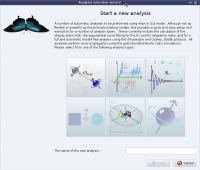 The analysis selection wizard 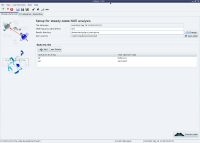 Steady-state NOE analysis
|
|


